Native elements and classes
Uses the Designer's own clipboard format, so you get Sections, Div Blocks, Headings, Links, the Navbar and Form blocks with named classes. Not a wall of embed code.
For Webflow designers and agencies
Paste a link or describe a site. FlowBridge turns it into real Webflow elements and classes, tablet and mobile included, and you paste it straight into the Designer. Fully editable. No HTML embeds.
No account. No upload. Your sites never leave your computer.
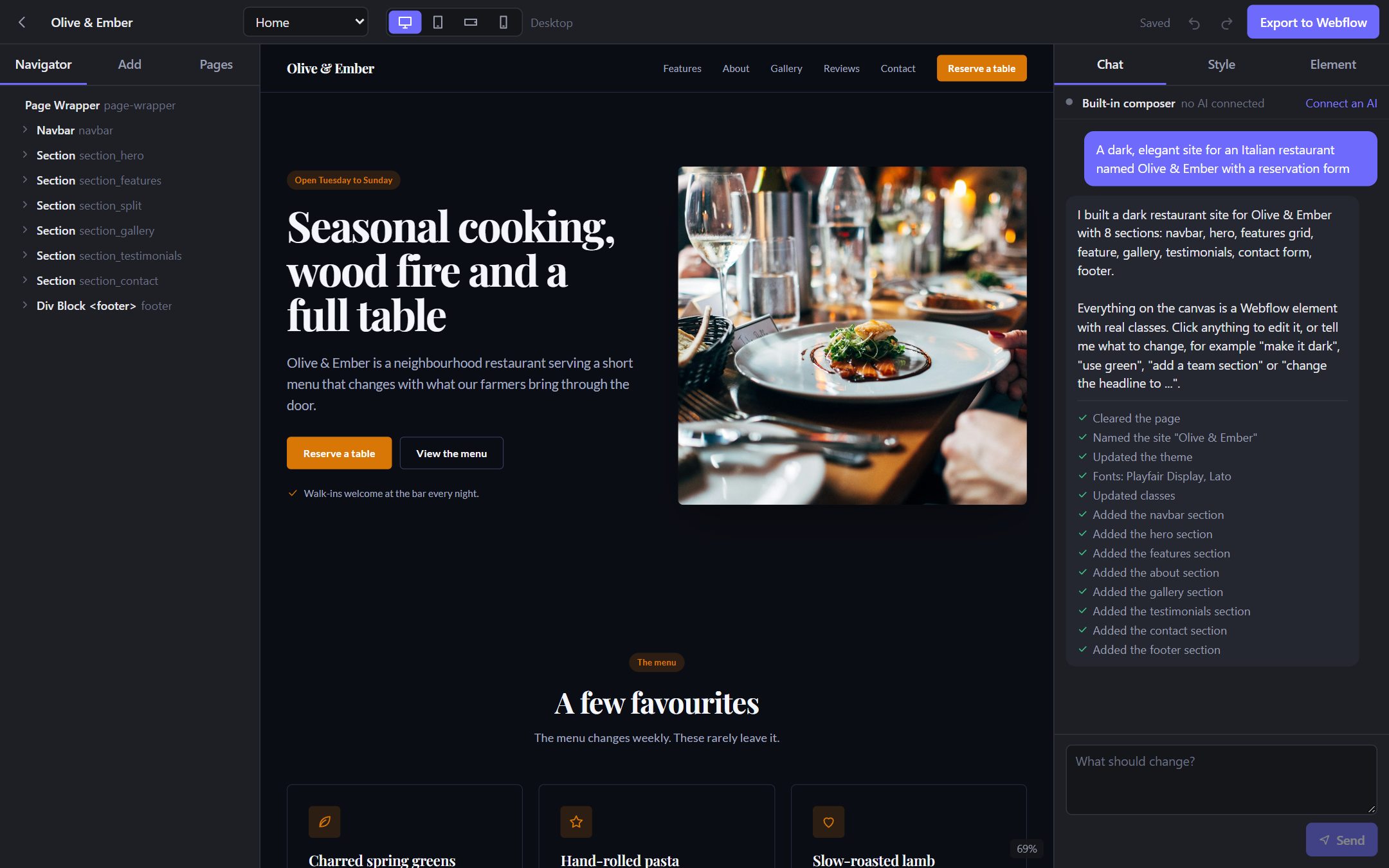
Paste a page you own and FlowBridge reads it at all four Webflow breakpoints. Or describe the site you want, add sites you like for inspiration, and build it by chat.
Navigator, classes, combo classes, hover states and breakpoints work the way you already know. Ask the chat for changes in plain words.
Press Copy, then Ctrl+V in Webflow. Sections, the Navbar, forms and every class land as native, editable Webflow parts.
Uses the Designer's own clipboard format, so you get Sections, Div Blocks, Headings, Links, the Navbar and Form blocks with named classes. Not a wall of embed code.
Desktop, tablet, mobile landscape and portrait styles are captured and written as Webflow breakpoint variants on each class.
Each rebuild is rendered next to the source page and scored at every breakpoint, so you see what matches and what to touch up.
Add up to three sites as inspiration. Their colours, fonts, corners and section order guide a design of your own. Their words and pictures are never copied.
Add pages, rebuild a site page by page from its own links, or ask the chat for a Home, About, Services and Contact set that shares one navbar and class system.
Chat with Claude, or bring CommandCode, OpenRouter, OpenAI, Gemini, Groq or a model running on your computer. You pay your AI provider, not us.
Upload a site's images to your Webflow Assets panel before you paste, so pictures arrive as real Webflow images.
FlowBridge runs on your computer. There is no FlowBridge server, and keys you enter are encrypted on disk.
Start free. Try every Pro feature for 7 days, no card needed.
$0
Everything you need to try it on real work.
Most popular
$15/ month
For designers who move sites into Webflow every week.
Use it on up to 3 computers.
$179 once
Every Pro feature and every future update, paid once. Launch price.
Checkout opens soon. Download the free version now; your work carries over when you upgrade.
Yes, to paste and publish. Webflow's free Starter plan is enough to paste and design; you need a paid site plan to publish on your own domain. Create a free Webflow account.
Only sites you own or have permission to use, such as a client's current site you are moving to Webflow. FlowBridge is a migration tool, not a way to copy other people's designs.
The built-in composer needs no AI and is free. With Pro you can chat with Claude (an API key, or Claude Code signed in on your computer) or any OpenAI- or Anthropic-compatible service with your own key, including CommandCode, OpenRouter, OpenAI, Gemini, Groq, Ollama and LM Studio.
Nothing. They stay on your computer, and FlowBridge goes back to the free plan. You keep everything you already pasted into Webflow.
One license works on up to 3 computers at once. Remove it from one in the app's Settings to move it to another.
Windows 10 or 11, and macOS 13.5 or newer on Apple silicon or Intel. Rebuilding from a URL uses Chrome, Edge or Brave, which you probably already have.
Polar, our merchant of record. It processes the payment, handles sales tax and VAT, and emails your license key and receipts.
Move your next site into Webflow in minutes, not days.